This is a visual guide to compliment the process of setting up your own Kubernetes Cluster on Google Cloud. This is a visual guide to Kelsey Hightower GIT project called Kubernetes The Hard Way. It can be challenging to remember all the steps a long the way, I found having a visual guide like this valuable to refreshing my memory.
Provision the network in Google Cloud
VPC
Provision Network
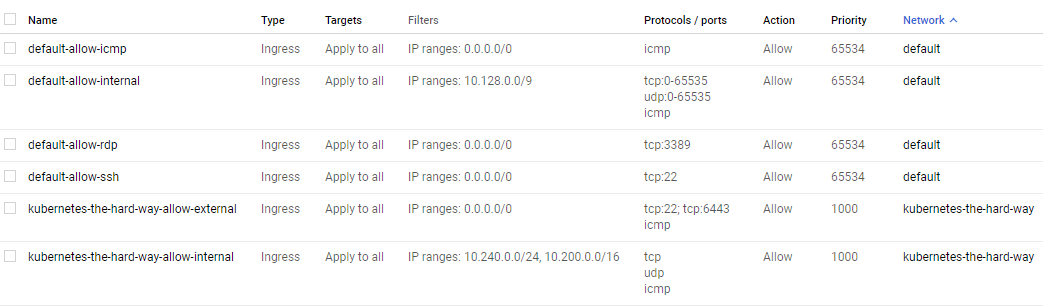
Firewall Rules
External IP Address
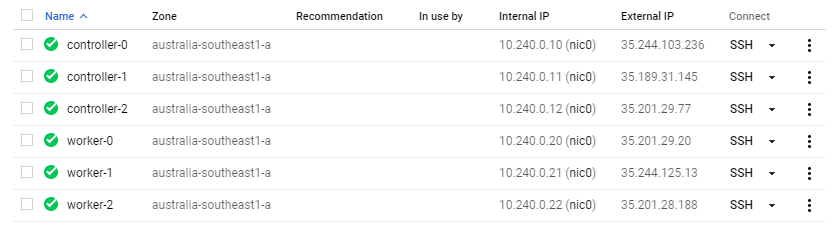
Provision Controllers and Workers – Compute Instances
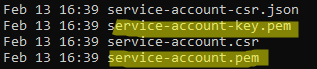
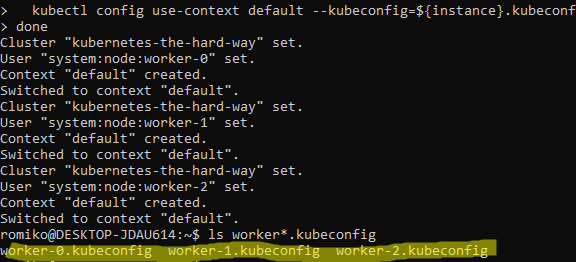
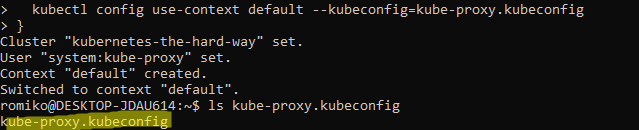
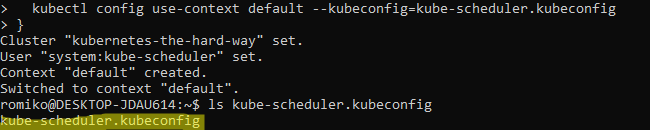
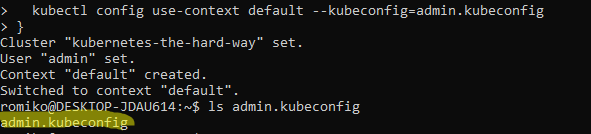
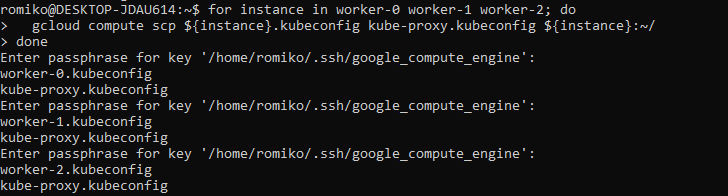
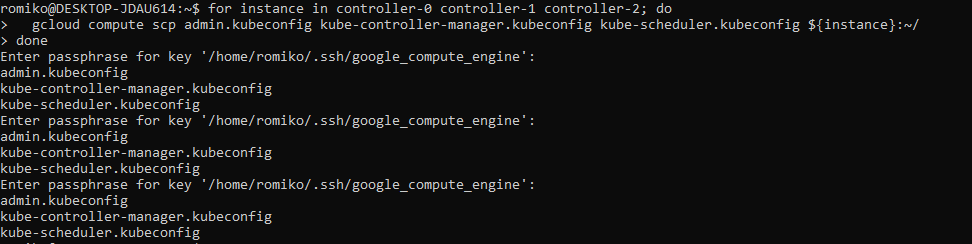
Generating Kubernetes Configuration Files for Authentication
Generating the Data Encryption Config and Key
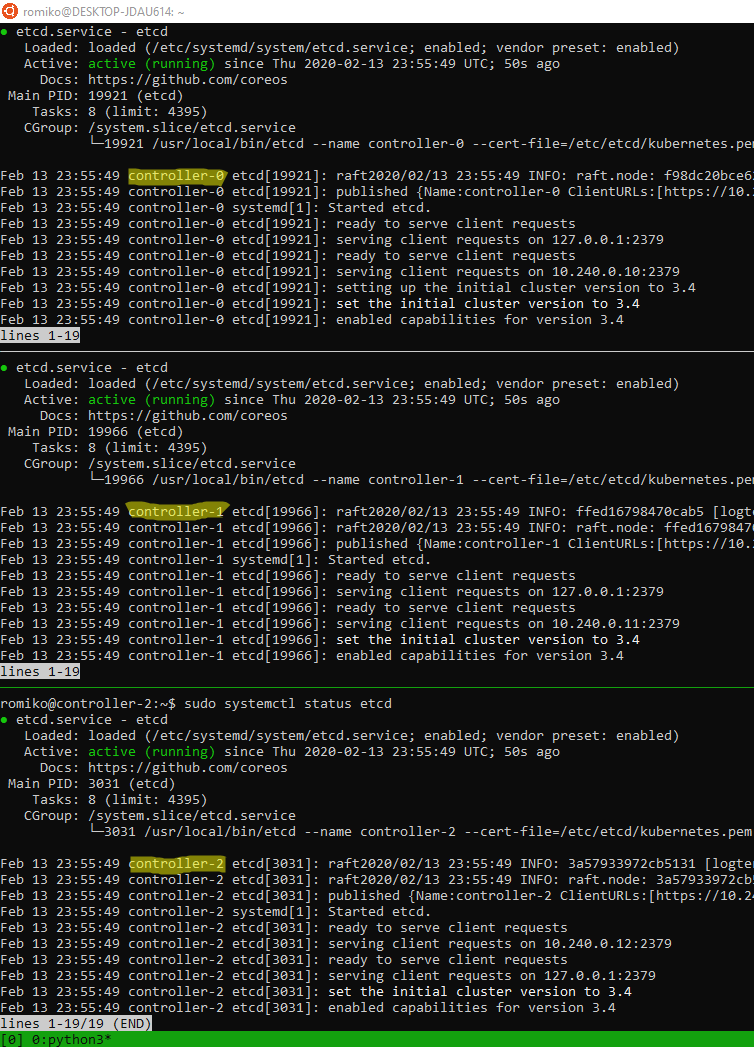
Bootstrapping etcd cluster
Use TMUX set synchronize-panes on to run on multiple instances at same time. Saves time!
Notice where are using TMUX in a Windows Ubuntu
Linux Subsystem and running commands in parallel to save a lot of time.
The only manual command is actually ssh into each controller, once in, we activate tmux synchronize feature. So what you type in one panel will duplicate to all others.
Bootstrapping the Control Pane (services)
Bootstrapping the Control Pane (LB + Health)
Required Nginx as Google health checks does not support https
Once you have completed the install of your kubernetes cluster, ensure you tear it down after some time to ensure you do not get billed for the 6 compute instances, load balancer and public statis ip address.
A big thank you to Kelsey for setting up a really comprehensive instruction guide.
This post will demonstrate how to deploy a AKS cluster using Advanced Networking. We will then deploy an Application Gateway Ingress Controller. Essentially this will install a dedicated ingress POD that fully manages the Application gateway.
This means all entries in the Application gateway are 100% managed by AKS. If you manually add an entry to the AG, it will be removed by AKS Ingress Controller.
Overview
Considerations
Decided to dedicate an entire /16 IP range to the AKS cluster for simplicity e.g. 10.69.0.0/16.
CNI provided the use of Application Gateway with WAFv2.
SSL offloading is configured. The actual private key (PEM – Base64 encoded) is stored in the default namespace in AKS. Whenever you deploy a new application, just –export (Deprecated) the key to the new namespace. The AG Ingress Controller will automatically be configured with the SSL certificate.
We will apply RBAC rules so AKS can manage the application gateway and VMSS scaleset.
RBAC to access container registry.
By using an Application Gateway, we can leverage additional benefits such as Web Application Firewall (V2), OWASP 3.0 firewall detection/prevention rules. Microsoft have totally refactors the AG WAF2 technology stack. It is much faster to provision and can deal with much larger amounts of traffic now.
By combining Load Balancing with WAF, we get the best of both worlds. If you have heavy traffic, it might be good to first do a performance test before making a final decision on AG + AKS stack.
Environment Setup + Tools
We are using AKS VMSS preview feature. Azure Virtual Machine Scale Sets have been around for a long time, and are in fact used by Microsoft Service Fabric. It makes total sense that this auto-scaling architecture is leveraged by AKS.
Due to the preview status of Container Services and VMSS+AKS, we will choose Azure CLI.
You can use Ubuntu Windows Shell or a Linux Ubuntu Shell.
Run the following code to setup your bash environment.
Helm is a client side tool to provide configuration settings to AKS. Tiller is a server side setting that runs on AKS that applies configuration settings that are applied from a helm client.
Create a config folder with 2 files.
Replace THECERTIFICATECHAIN with the contents of your base64 encoded .cer certificate chain. The script will replace <THEPRIVATEKEY> when you paste your private key. Future namespace or apps, will be able to find this in the default namespace. Thus a 1 time operations
e.g. (kubectl get secret rangerrom-tls –namespace=default ….).
Ensure you have * VNET in a resounce group – ${env}-network-rg * Subnet with a name ${env}-aks-cluster-subnet matching the IP rules
Install AKS into existing VNET
#!/bin/bash
aksversion='1.13.7'
while ! [[ "$env" =~ ^(sb|dv|ut|pd)$ ]]
do
  echo "Please specifiy environment [sb, dv,ut,pd]?"
  read -r env
done

case $env in

  dv)
    servicecidr="10.66.64.0/18"
    dnsserver="10.66.64.10"
    az account set --subscription 'RangerRom DEV'
    subscriptionid=$(az account show --subscription 'RangerRom DEV' --query id | sed  's/\"//g')
    ;;

  sb)
    servicecidr="10.69.64.0/18"
    dnsserver="10.69.64.10"
    az account set --subscription 'RangerRom SANDBOX'
    subscriptionid=$(az account show --subscription 'RangerRom SANDBOX' --query id | sed  's/\"//g')
    ;;

  ut)
    servicecidr="10.70.64.0/18"
    dnsserver="10.70.64.10"
    az account set --subscription 'RangerRom TEST'
    subscriptionid=$(az account show --subscription 'RangerRom TEST' --query id | sed  's/\"//g')
    ;;

  pd)
    servicecidr="10.68.64.0/18"
    dnsserver="10.68.64.10"
    az account set --subscription 'RangerRom PROD'
    subscriptionid=$(az account show --subscription 'RangerRom PROD' --query id | sed  's/\"//g')
    ;;
  *)
    echo "environment not found"
    exit
    ;;
esac

env="rrau${env}"
location="australiaeast"

az group create --location $location --name "${env}-aks-rg"
sleep 5

az feature register -n VMSSPreview --namespace Microsoft.ContainerService
az provider register -n Microsoft.ContainerService

az aks create \
    --resource-group "${env}-aks-rg" \
    --name "${env}-aks-cluster" \
    --enable-vmss \
    --node-count 2 \
    --kubernetes-version $aksversion \
    --generate-ssh-keys \
    --network-plugin azure \
    --service-cidr $servicecidr \
    --dns-service-ip $dnsserver \
    --vnet-subnet-id "/subscriptions/${subscriptionid}/resourceGroups/${env}-network-rg/providers/Microsoft.Network/virtualNetworks/${env}-network/subnets/${env}-aks-cluster-subnet"


clusterprincipalid=$(az ad sp list --display-name ${env}-aks-cluster --query [0].objectId)
resourceGroupid=$(az group show --name ${env}-network-rg --query 'id')
echo "Configuring cluster to owner ${resourceGroupid}"
cmd="az role assignment create --role Contributor --assignee $clusterprincipalid --scope $resourceGroupid"
eval $cmd


echo "Configuring AKS Cluster with Tiller"
az aks get-credentials --resource-group "${env}-aks-rg" --name "${env}-aks-cluster" --overwrite-existing
kubectl apply -f ./config/tiller-rbac.yml
helm init --service-account tiller

while ! [[ ${#privatekey} -gt 2000 ]]
do
  echo "Please provide TLS Private Key - BASE64 Encoded PEM?"
  read -r privatekey
done

kubectl create namespace scpi-${env}
cat ./config/rangerrom-tls.yml  | sed "s/THEPRIVATEKEY/$privatekey/" > temptls.yml
kubectl apply -f temptls.yml -n default
#The Flag --export is going to be deprecated - Below is workaround.
kubectl get secret rangerrom-tls --namespace=default -o yaml | \
   sed '/^.*creationTimestamp:/d' |\
   sed '/^.*namespace:/d' |\
   sed '/^.*resourceVersion:/d' |\
   sed '/^.*selfLink:/d' |\
   sed '/^.*uid:/d' |\
   kubectl apply --namespace=scpi-${env} -f -

rm -f ./temptls.yml
privatekey=""

echo "Setup container registry permissions"
az acr create -n "${env}containerregistry" -g "${env}-common-rg" --sku Premium
containerid=$(az acr show -n ${env}containerregistry --query id)
principalidaks=$(az ad sp list --all --query "([?contains(to_string(displayName),'"${env}-aks-cluster"')].objectId)[0]")
cmd1="az role assignment create --role acrpull --assignee $principalidaks --scope $containerid"
eval $cmd1

echo "Setup container registry permissions - Centralised"
containerid=$(az acr show --subscription 'RangerRom PROD' -n rraupdcontainerregistry --query id)
cmd2="az role assignment create --role acrpull --assignee $principalidaks --scope $containerid"
eval $cmd2
Install and Configure AKS to control the Ingress
#!/bin/bash
while ! [[ "$env" =~ ^(sb|dv|ut|pd)$ ]]
do
  echo "Ensure you have owner permissions on the subscription before you continue."
  echo "Please specifiy environment [sb, dv,ut,pd]?"
  read -r env
done

case $env in

  dv)
    az account set --subscription 'RangerRom DEV'
    ;;

  sb)
    az account set --subscription 'RangerRom SANDBOX'
    ;;

  ut)
    az account set --subscription 'RangerRom TEST'
    ;;

  pd)
    az account set --subscription 'RangerRom PROD'
    ;;
  *)
    echo "Invalid Environment"
    exit
    ;;
esac

env="rrau${env}"

ipAddressName="${env}-aks-application-gateway-ip"
resourcegroup="MC_${env}-aks-rg_${env}-aks-cluster_australiaeast"
gatewayname="${env}-aks-application-gateway"
location="australiaeast"
vnet="${env}-network"
subnet="${env}-aks-application-gateway-subnet"

az network public-ip create \
  --resource-group $resourcegroup \
  --name $ipAddressName \
  --allocation-method Static \
  --sku Standard

sleep 20

subnetid=$(az network vnet subnet show -g "${env}-network-rg" -n "${env}-aks-application-gateway-subnet" --vnet-name ${vnet} --query id)
cmd="az network application-gateway create --name $gatewayname \
                                      --resource-group $resourcegroup \
                                      --capacity 2  \
                                      --sku "WAF_v2" \
                                      --subnet $subnetid \
                                      --http-settings-cookie-based-affinity Disabled \
                                      --location $location \
                                      --frontend-port 80 \
                                      --public-ip-address $ipAddressName"
eval $cmd
az network application-gateway waf-config set -g $resourcegroup --gateway-name $gatewayname \
                            --enabled true --firewall-mode Detection --rule-set-version 3.0

#Setup AAD POD Identity to manage application gateway
az identity create -g $resourcegroup -n "${env}-aks-aad_pod_identity"
sleep 20

principalid=$(az identity show -g $resourcegroup -n "${env}-aks-aad_pod_identity" --query 'principalId')
appgatewayid=$(az network application-gateway show -g $resourcegroup -n $gatewayname --query 'id')

echo "Assign Role so AKS can manage the Application Gateway"

echo "Configuring Create Role for identity - $principalid - for gateway"
cmd="az role assignment create --role Contributor --assignee $principalid --scope $appgatewayid"
eval $cmd

resourceGroupid=$(az group show --name $resourcegroup --query 'id')

echo "Configuring Read Role for identity - $principalid - for gateway resourcegroup"
cmd="az role assignment create --role Reader --assignee $principalid --scope $resourceGroupid"
eval $cmd

az identity show -g $resourcegroup -n "${env}-aks-aad_pod_identity"
echo "Please use the azure identity details above to configure AKS via Help for the AG Ingress Controller"
echo "Careful with copy and paste. Hidden characters can affect the values!"


echo "Ingress Controller for Azure Application Gateway"
az aks get-credentials --resource-group "${env}-aks-rg" --name "${env}-aks-cluster"
kubectl create -f https://raw.githubusercontent.com/Azure/aad-pod-identity/master/deploy/infra/deployment-rbac.yaml
helm repo add application-gateway-kubernetes-ingress https://appgwingress.blob.core.windows.net/ingress-azure-helm-package/
helm repo update

subscriptionid=$(az account show --query id | sed  's/\"//g')
appGatewayResourceId=$(az network application-gateway show -g $resourcegroup -n $gatewayname --query resourceGroup  | sed  's/\"//g')
identityClientid=$(az identity show -g $resourcegroup -n "${env}-aks-aad_pod_identity" --query clientId  | sed  's/\"//g')
aksfqdn=$(az aks show --resource-group "${env}-aks-rg" --name "${env}-aks-cluster" --query fqdn  | sed  's/\"//g')

cmd="helm upgrade ingress-azure application-gateway-kubernetes-ingress/ingress-azure \
     --install \
     --namespace default \
     --debug \
     --set appgw.name=$gatewayname \
     --set appgw.resourceGroup=$appGatewayResourceId \
     --set appgw.subscriptionId=$subscriptionid \
     --set appgw.shared=false \
     --set armAuth.type=aadPodIdentity \
     --set armAuth.identityResourceID=/subscriptions/$subscriptionid/resourcegroups/$appGatewayResourceId/providers/Microsoft.ManagedIdentity/userAssignedIdentities/$env-aks-aad_pod_identity \
     --set armAuth.identityClientID=$identityClientid \
     --set rbac.enabled=true \
     --set verbosityLevel=3 \
     --set aksClusterConfiguration.apiServerAddress=$aksfqdn"
eval $cmd
kubectl get pods
Conclusion
This post should provide a guide post to setup your infrastructure as code. By leveraging a rock solid naming convention, you can leverage fully automated scripts to deploy your environments. The above scripts for AKS and AG are also idempotent, so they can be run on a scheduled basis e.g. Azure Devops.























 Romiko Derbynew
You must be logged in to post a comment.