The Azure MCP (Model Context Protocol) Server acts as a bridge, allowing AI agents to interact directly with Azure infrastructure using natural language. Instead of struggling with complex CLI syntax to query Azure Kubernetes Service (AKS), you can simply “ask” the MCP server to retrieve cluster configurations, list node pools, or check network settings. It simplifies the “how-do-I-do-this” hurdle, allowing you to focus on managing your container workloads through plain English prompts rather than memorizing documentation.
From “Fire in the Datacenter” to “Fixed While You Sleep”
We’ve all been there. It’s 3:00 AM. Your phone buzzes with a high-priority alert. You drag yourself out of bed, fumble for your laptop, and try to remember where you left your sanity.
What if your AI agent—your digital on-call engineer—could handle it instead?
By combining Dynatrace (for observability), Azure MCP (for infrastructure control), and Jira (for tracking), you can move from reactive “firefighting” to autonomous “self-healing.”
The “Auto-Fix” Architecture
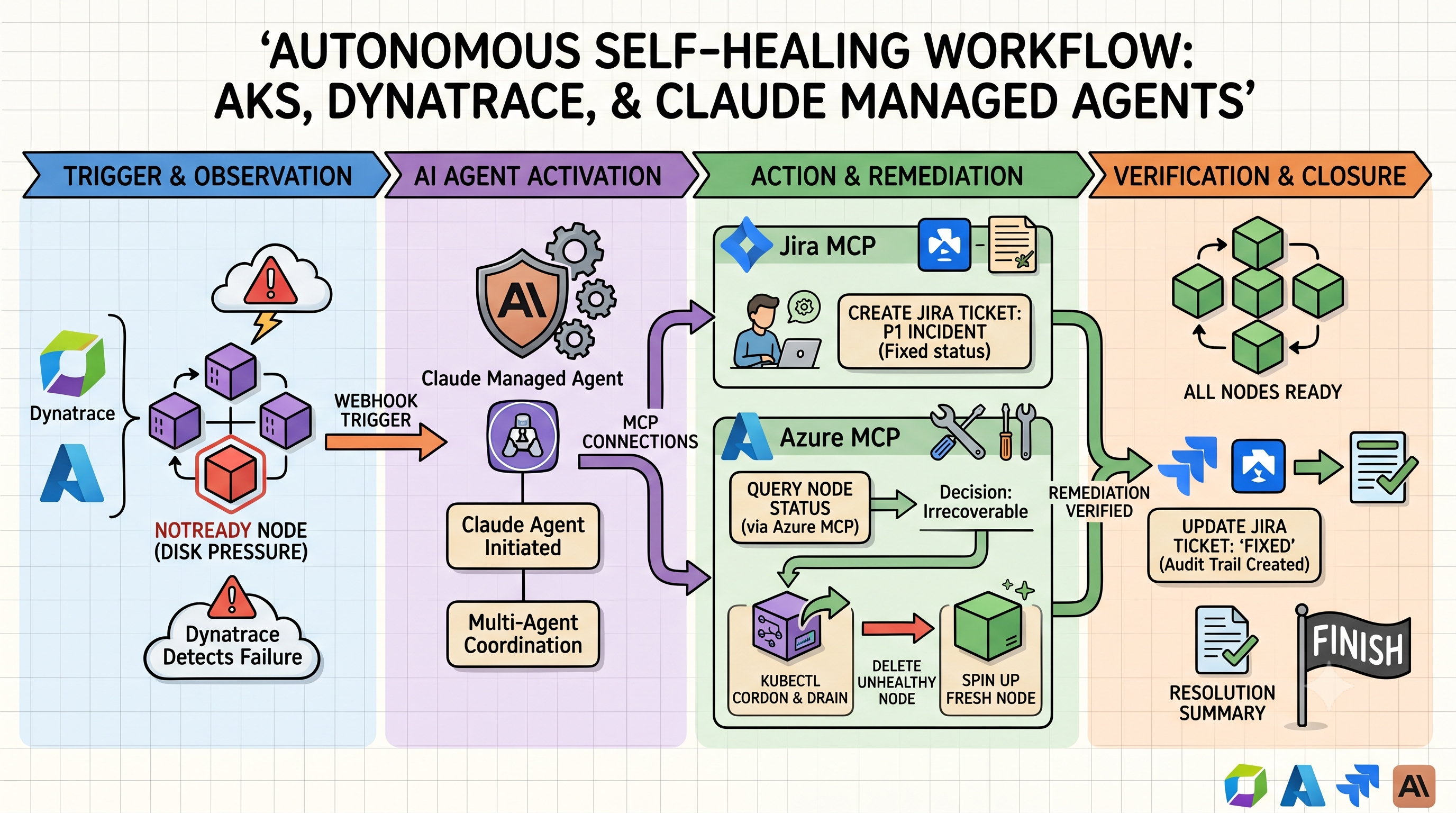
When an “Unhealthy Node” alert fires in AKS, you don’t need to wake up. Here is the workflow:
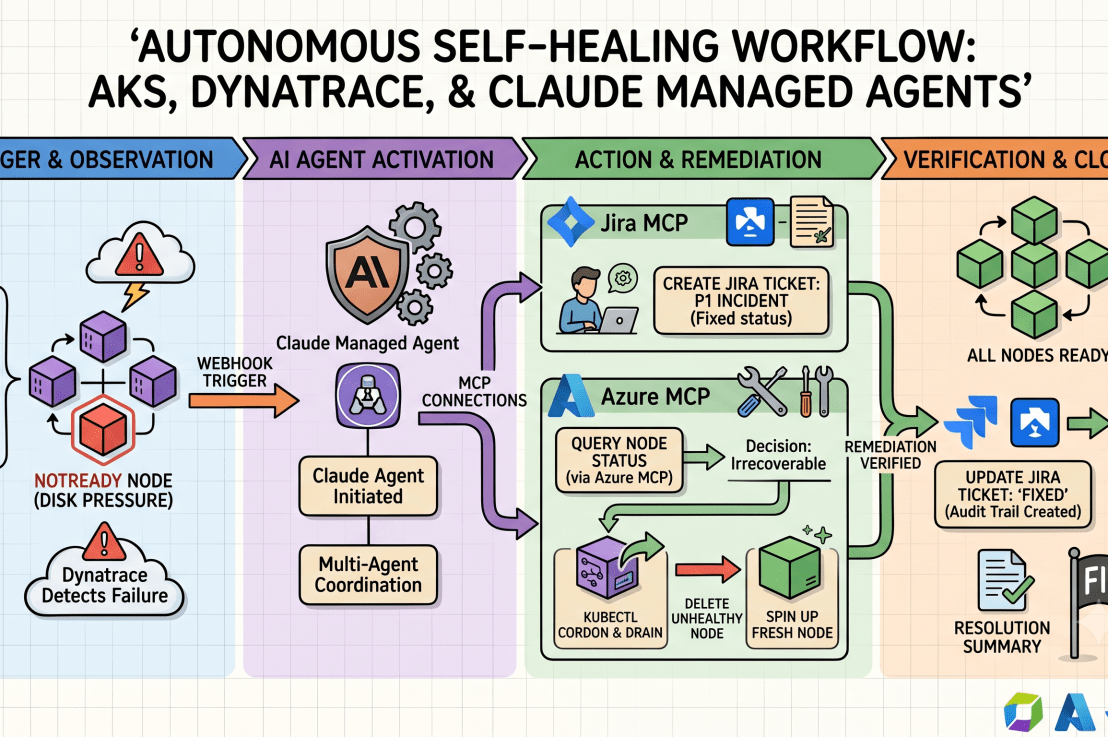
- The Trigger: Dynatrace detects a node in your AKS cluster is reporting
NotReadydue to disk pressure. - The Agent Wakes Up: A webhook triggers your Claude Managed Agent.
- The Documentation: The agent uses the Jira MCP to automatically create a “P1 Incident” ticket, attaching the Dynatrace diagnostic logs.
- The Investigation & Action: * The agent uses the Azure MCP to query the specific node pool status.
- It determines the node is irrecoverable.
- It issues a
kubectl cordonanddraincommand (via the Azure MCP) to safely move workloads. - It deletes the unhealthy node and forces the scale set to spin up a fresh, healthy one.
- The Wrap-Up: The agent confirms the node is
Ready, adds a comment to the Jira ticket with the “Fixed” status, and moves it to the “Done” column.
Why this is a game-changer
It isn’t just about speed; it’s about consistency. Humans get tired, stressed, and prone to “copy-paste” errors at 3 AM. An AI agent follows a predefined rubric. If the first attempt to drain the node fails, it doesn’t panic—it reads the error code, adjusts the strategy, and tries again.
And because you have the Jira MCP hooked into the loop, you always have an audit trail. You can wake up at 8 AM, have your coffee, and read a neat summary of exactly what the agent did while you were dreaming about a vacation from on-call duty.
The future isn’t just “no ops.” It’s “AI-ops.” You define the boundaries, you define the rules, and the agent keeps the ship running while you get some actual sleep.
MCP Servers – Out of the Box
https://learn.microsoft.com/en-us/azure/developer/azure-mcp-server/tools/azure-kubernetes
https://github.com/atlassian/atlassian-mcp-server
https://docs.dynatrace.com/docs/dynatrace-intelligence/dynatrace-mcp
- Uncategorized

