Tag: mcp

What is Claude Code? (And Why It’s Not Just Another Chatbot)

What is Claude Code? (And Why It’s Not Just Another Chatbot)

Let’s be real: most AI coding assistants are glorified autocomplete engines that require you to copy-paste code like it’s 2005. Claude Code is different. It’s an agentic coding tool that lives in your terminal, understands your actual codebase, executes commands, and—here is the kicker—does the work for you.
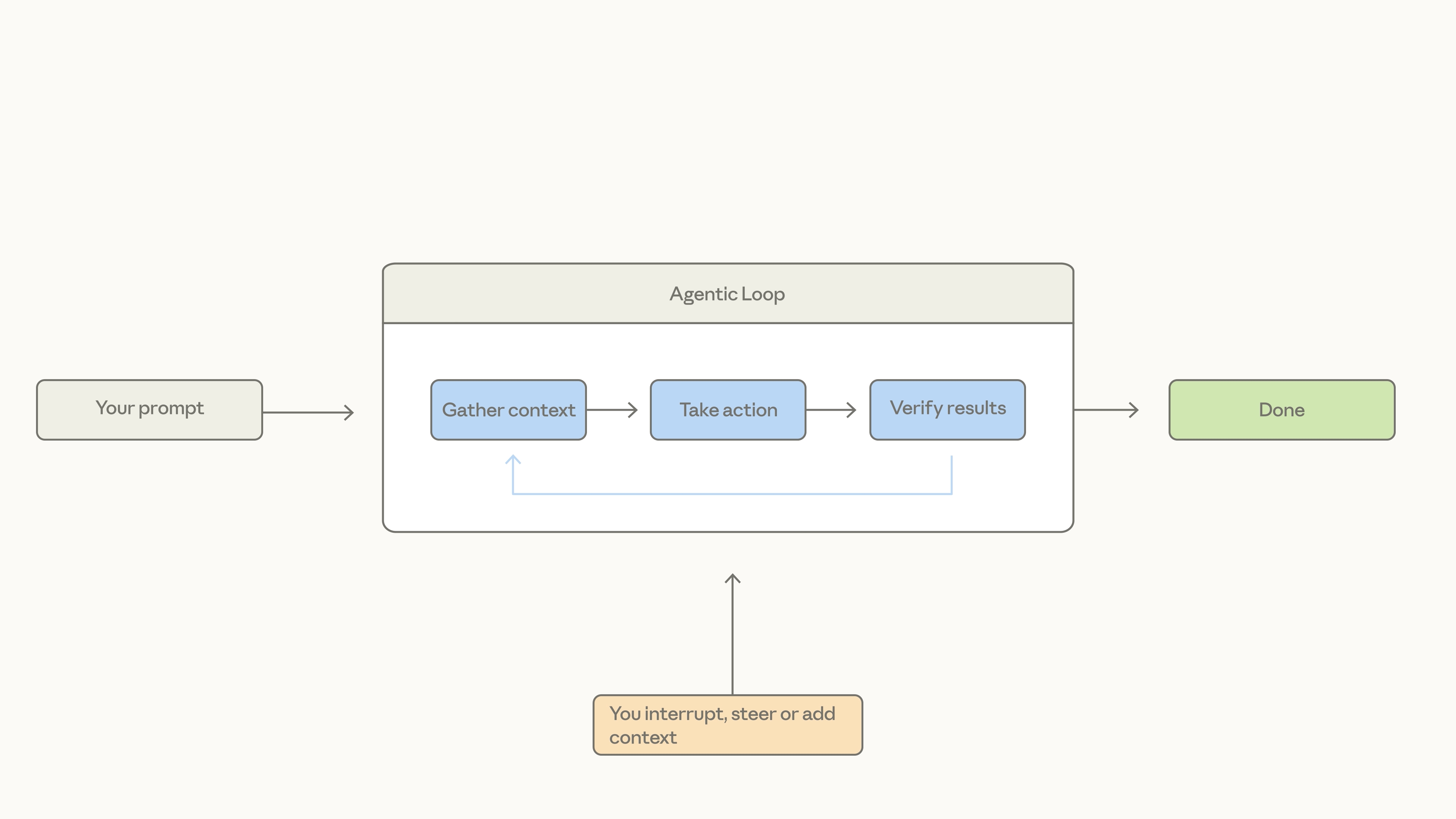
It doesn’t just suggest a function; it writes the function, runs the tests, fixes the inevitable “oops,” and commits the result.

The “Must-Know” Workflow: Explore → Plan → Code → Commit
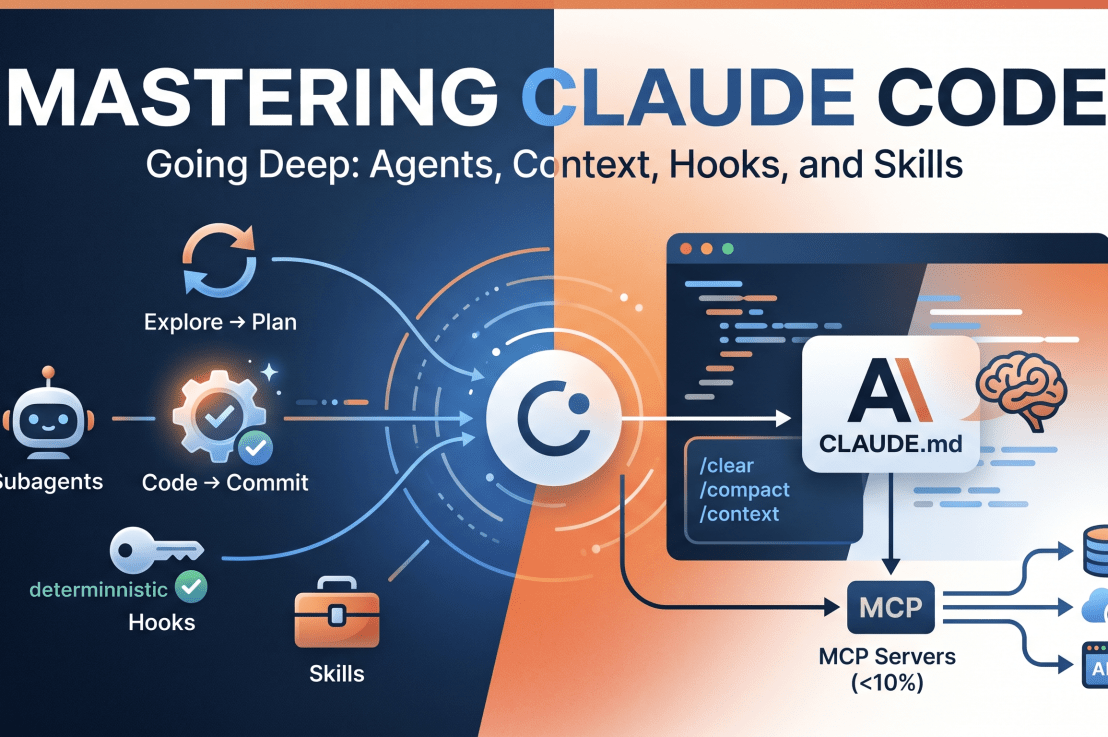
If you jump straight to asking Claude to “write code,” you’re setting yourself up for a chaotic debugging session. Instead, embrace the Explore → Plan → Code → Commit rhythm:
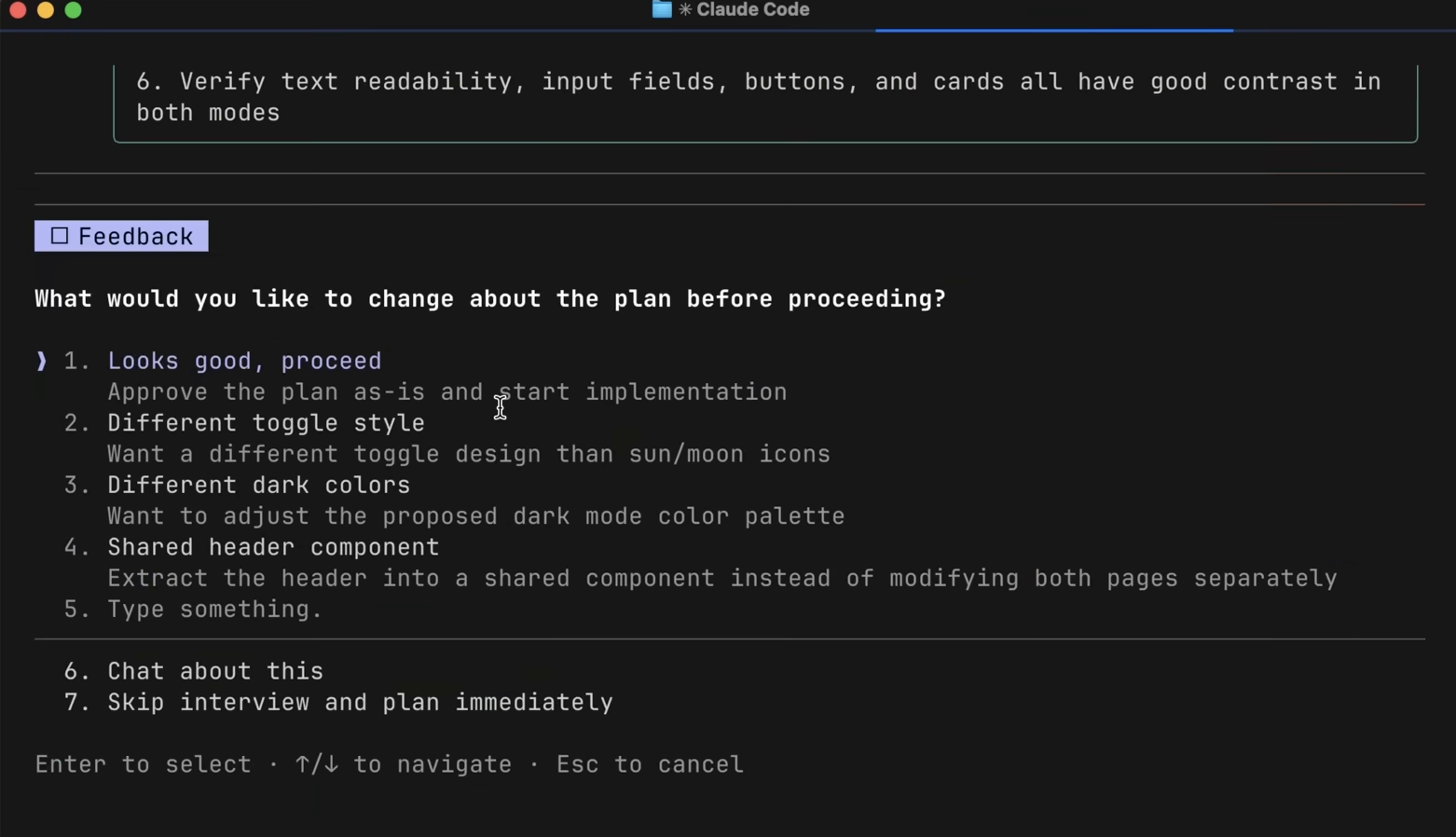
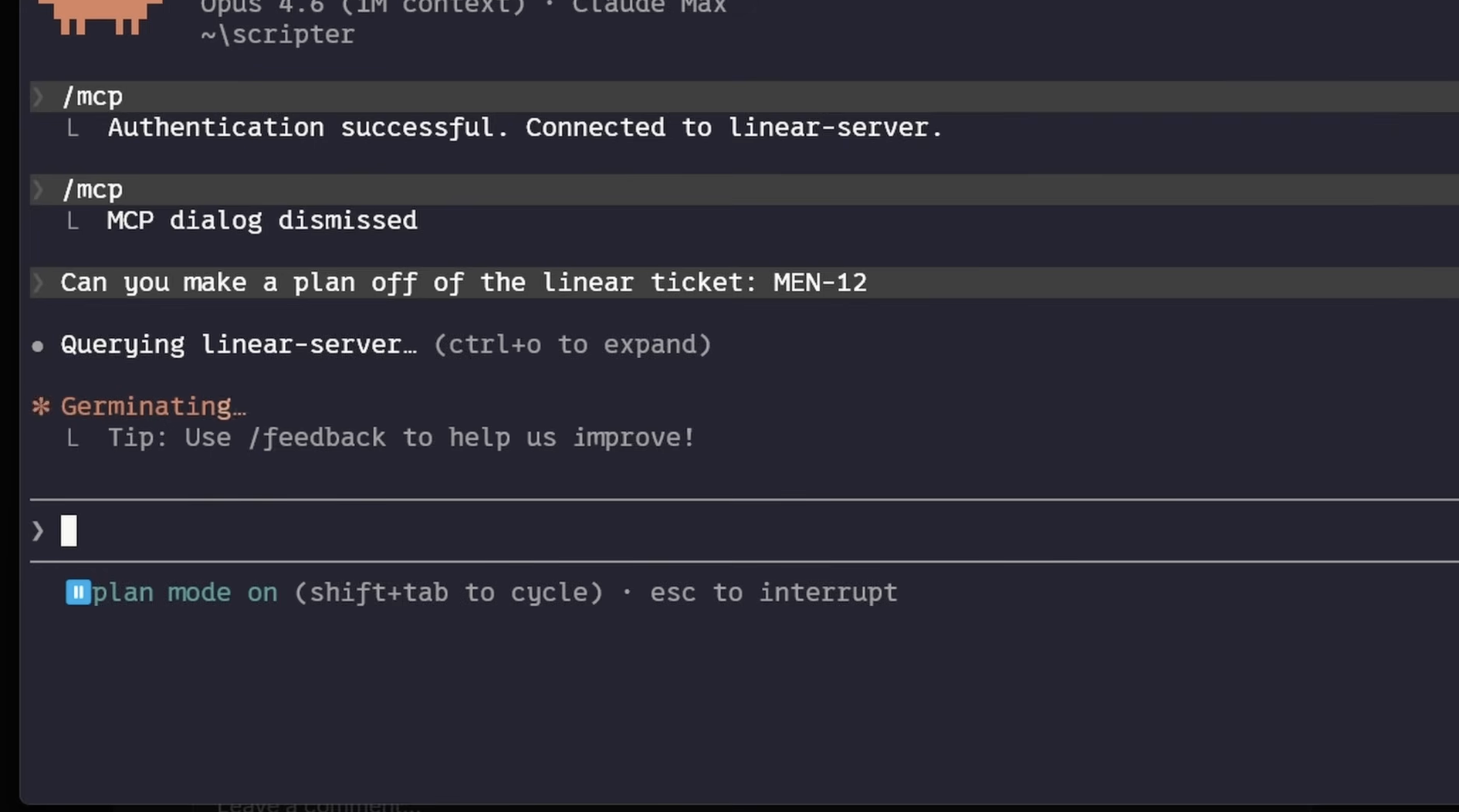
Explore & Plan: Use Plan Mode (Shift + Tab). Claude reads your files (read-only!) and builds a map. It’s like giving your GPS a destination before you start driving.
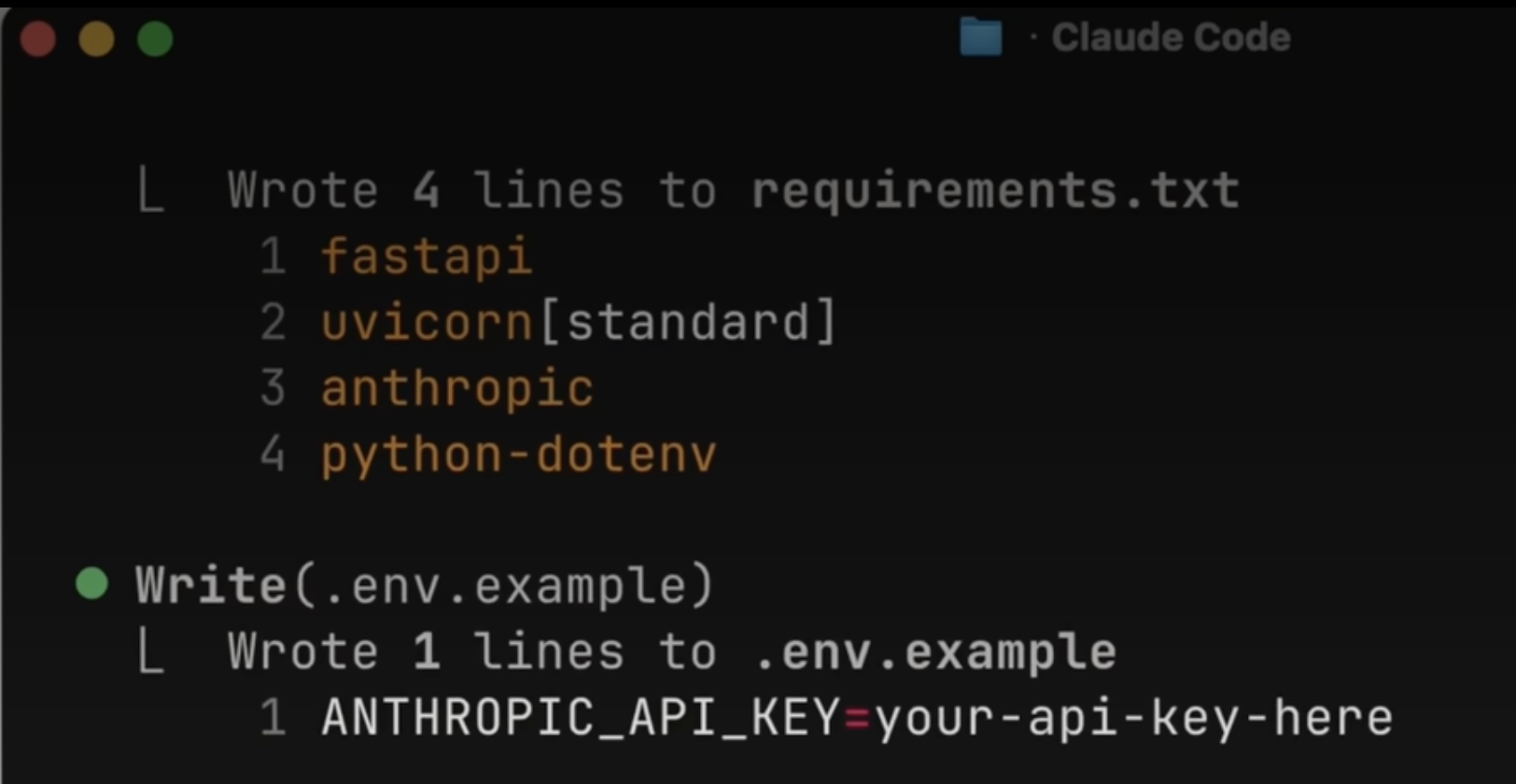
Code: Once the plan is approved, Claude executes. It’s your pair programmer—but the kind that doesn’t complain about your coffee habits.

Commit: Use built-in subagents to review your work before you push. It’s like having a senior dev check your PR without the existential dread of a code review meeting.
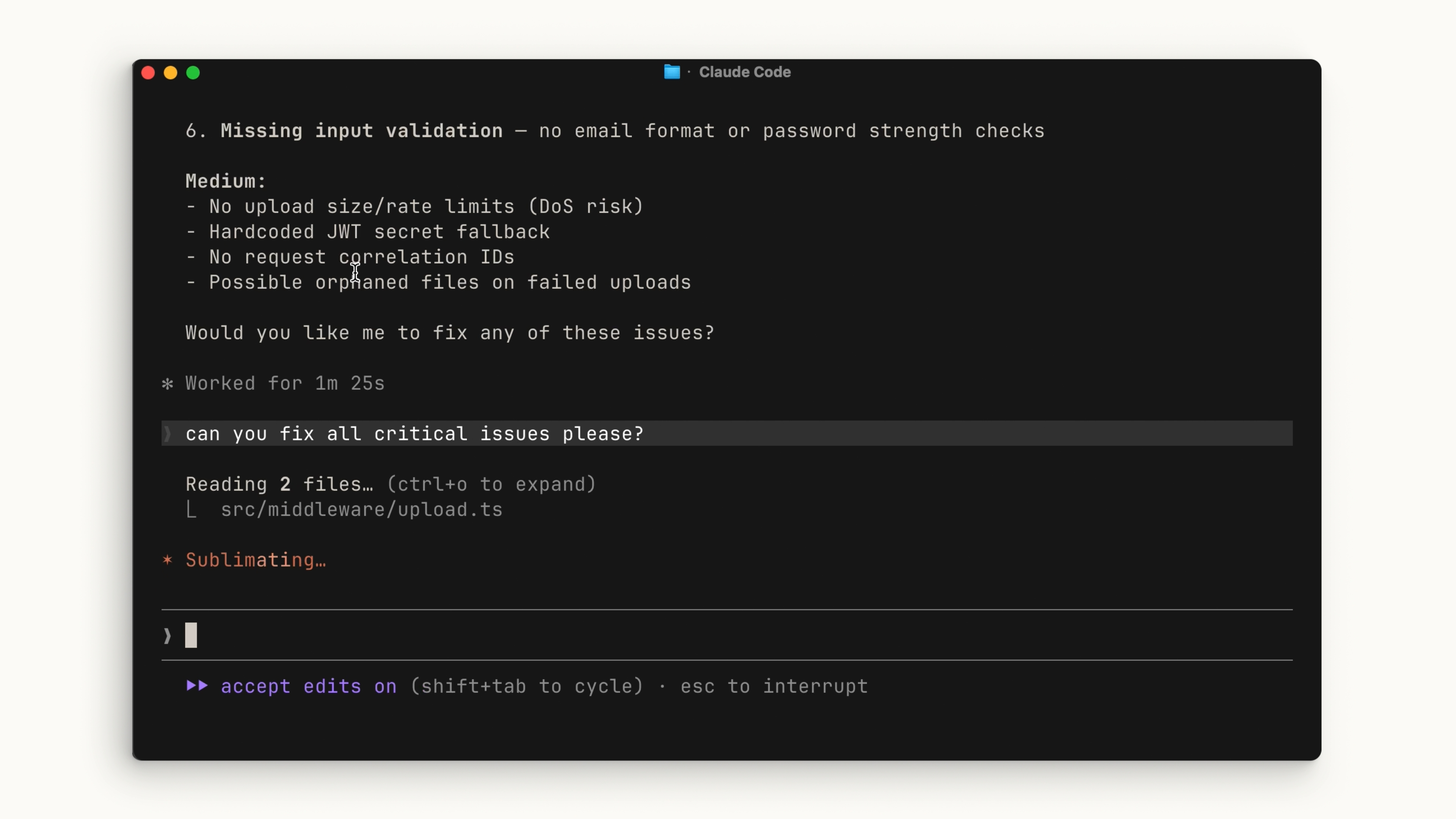

Supercharging Your Workflow (Without Killing Your Context)

The biggest challenge with any agent is the Context Window. You have a finite amount of space in Claude’s “brain,” and if you fill it with irrelevant garbage, Claude gets “dumb.” Here is how to keep it sharp:
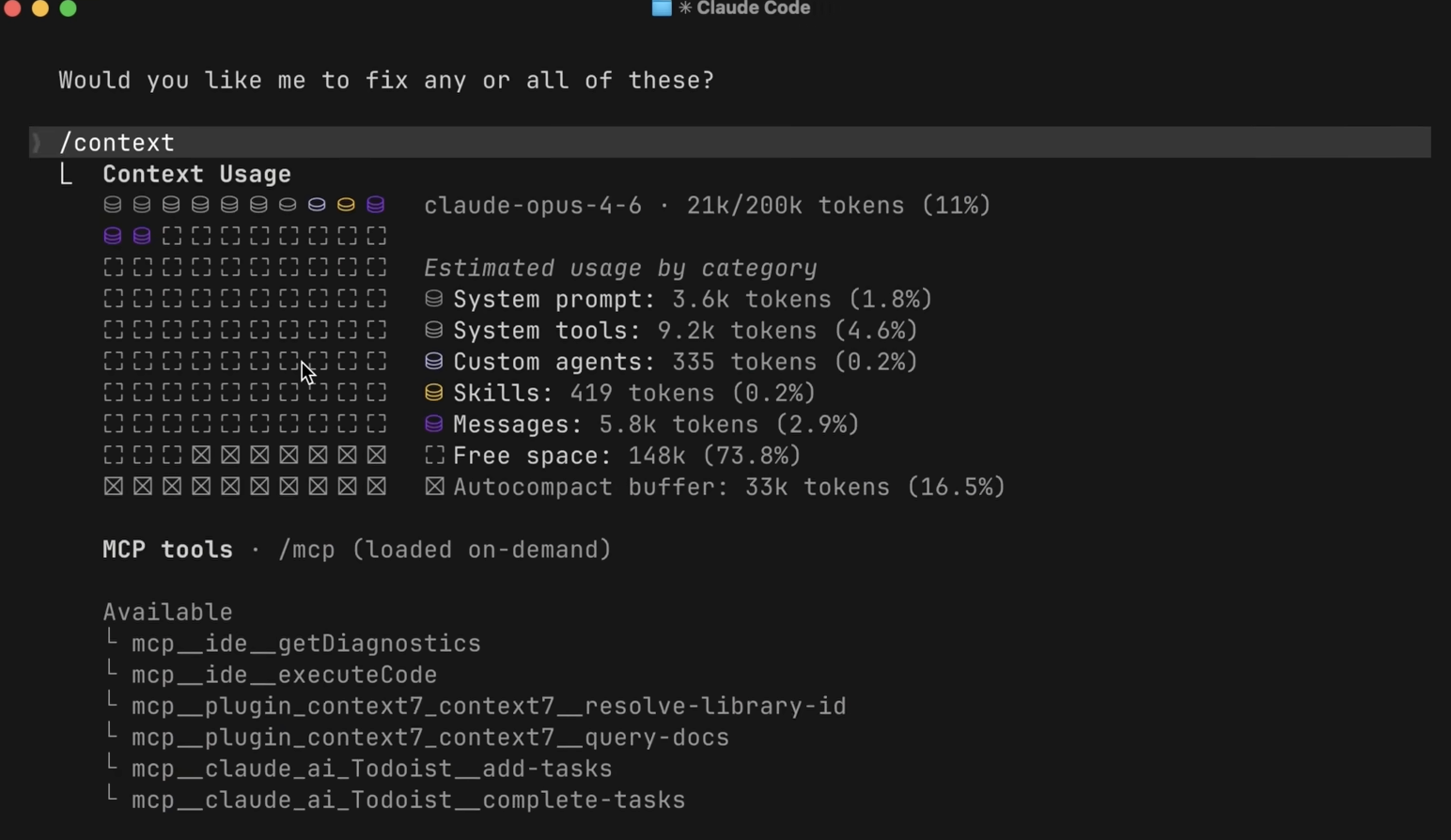
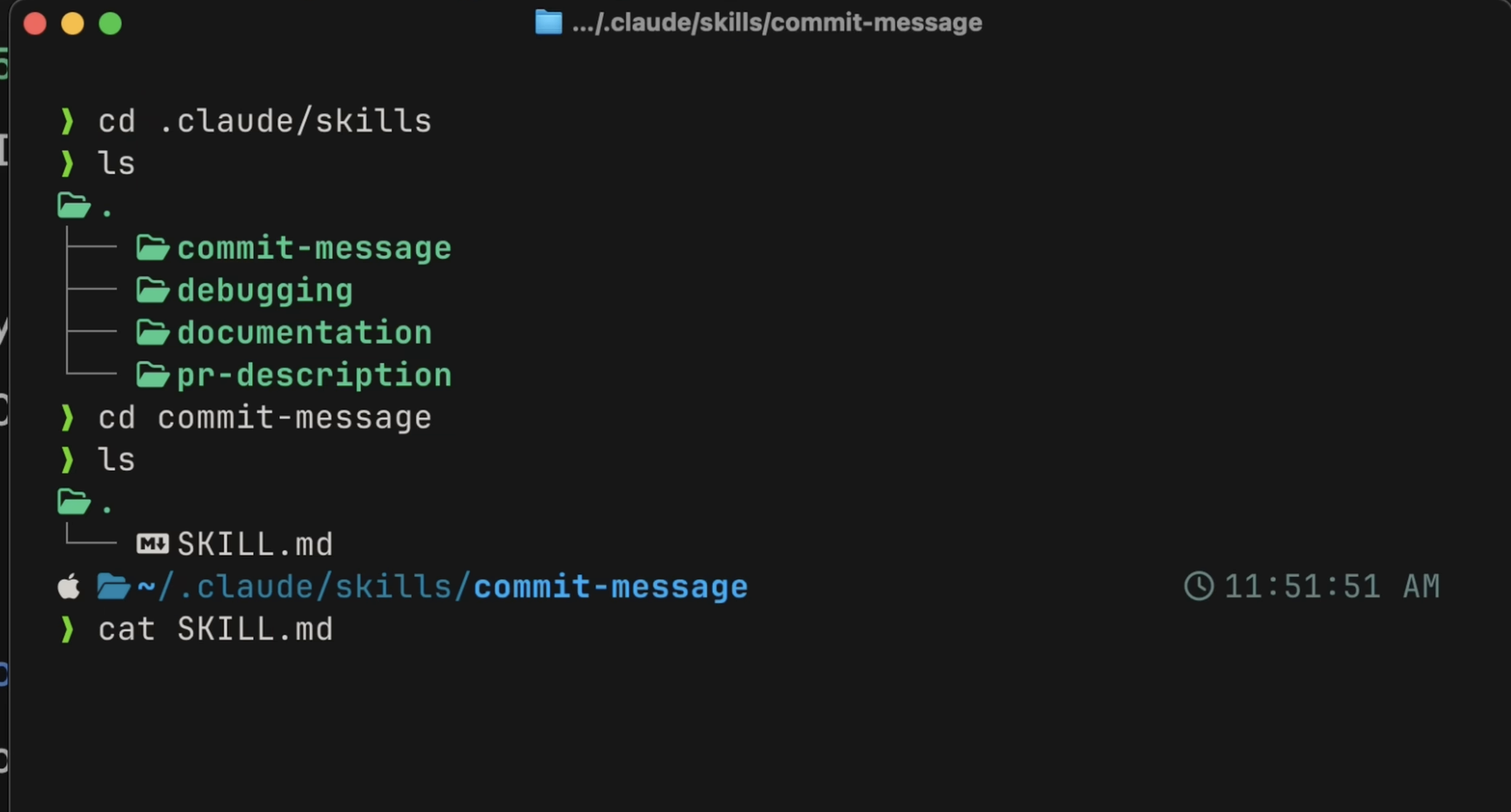
1. Skills > MCP

Think of Skills as your AI’s muscle memory. Whether it’s a specific TDD workflow or a custom PR template, Skills only load the heavy instructions when they are needed.
Pro-tip: Don’t overuse MCP servers. They load tool definitions into context permanently. If a tool has a CLI equivalent (like gh for GitHub), use the CLI—it’s way more efficient. Try to keep your MCP footprint under 10% of your context window, or Claude will start struggling.
2. Deterministic Power: Hooks

If you want something to happen every single time, don’t ask Claude to remember it in a prompt (it’ll eventually forget). Use Hooks.

  • PostToolUse: Perfect for auto-formatting (e.g., running Prettier after every edit).
  • PreToolUse: Your “Do Not Touch” switch. Block rm -rf or production file edits.
  • Humor Note: Treat these hooks like your stern office manager—they don’t care about your “intent,” they just enforce the rules.

3. The Holy Grail: CLAUDE.md

If your project feels like it’s suffering from amnesia, create a CLAUDE.md file. It’s the “Onboarding Guide” for your agent. If you find yourself correcting Claude twice on the same thing, tell it to “save this rule to CLAUDE.md.” It’s basically teaching your AI to grow up.

Final Thoughts

Claude Code is essentially a super-powered intern that never sleeps. By managing your context, relying on deterministic Hooks for safety, and using Skills for reusable workflows, you stop fighting the tool and start shipping code.

Now, go forth, run claude, and try not to let the AI take too much credit for your genius.
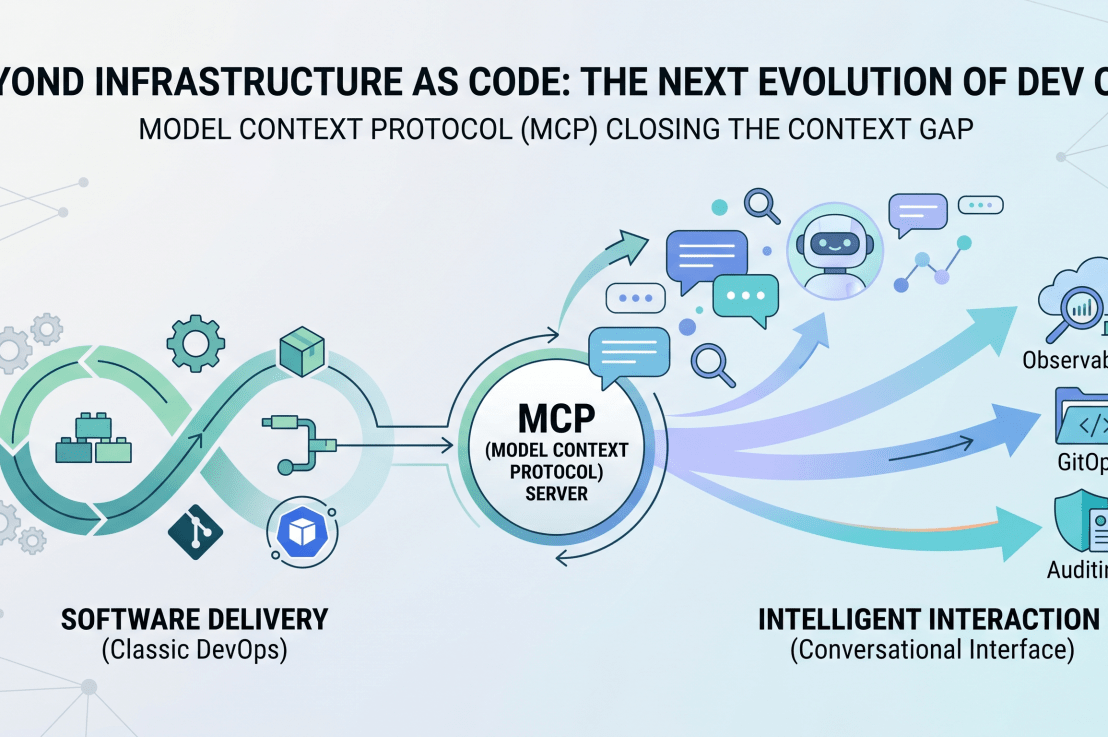
Beyond Infrastructure as Code: Why MCP is the Next Evolution of Your DevOps (AI) Stack

Beyond Infrastructure as Code: Why MCP is the Next Evolution of Your DevOps (AI) Stack

If you’ve spent the last 25 years navigating the evolution of software engineering—from bare-metal servers to the complexity of Kubernetes clusters and multi-cloud architectures—you know that the “dev” in DevOps has always been about abstraction.

We moved from manual scripts to Terraform (IaC), from manual deployments to GitOps (ArgoCD), and from siloed monitoring to observability stacks. Every step was about making our systems more predictable, repeatable, and scalable.

Today, we are hitting the next wall: The “Context Gap.” Even with the best AI coding assistants, there is a disconnect between the LLM’s general knowledge and the specific, idiosyncratic realities of your internal platforms, APIs, and business data.

Enter the Model Context Protocol (MCP). If you’ve spent your career building pipelines to get code into production, think of MCP as the pipeline to get intelligence into your development workflow.

MCP (Model Context Protocol) is an open-source standard for connecting AI applications to external systems.Using MCP, AI applications like Claude or ChatGPT can connect to data sources (e.g. local files, databases), tools (e.g. search engines, calculators) and workflows (e.g. specialized prompts)—enabling them to access key information and perform tasks.Think of MCP like a USB-C port for AI applications. Just as USB-C provides a standardized way to connect electronic devices, MCP provides a standardized way to connect AI applications to external systems.

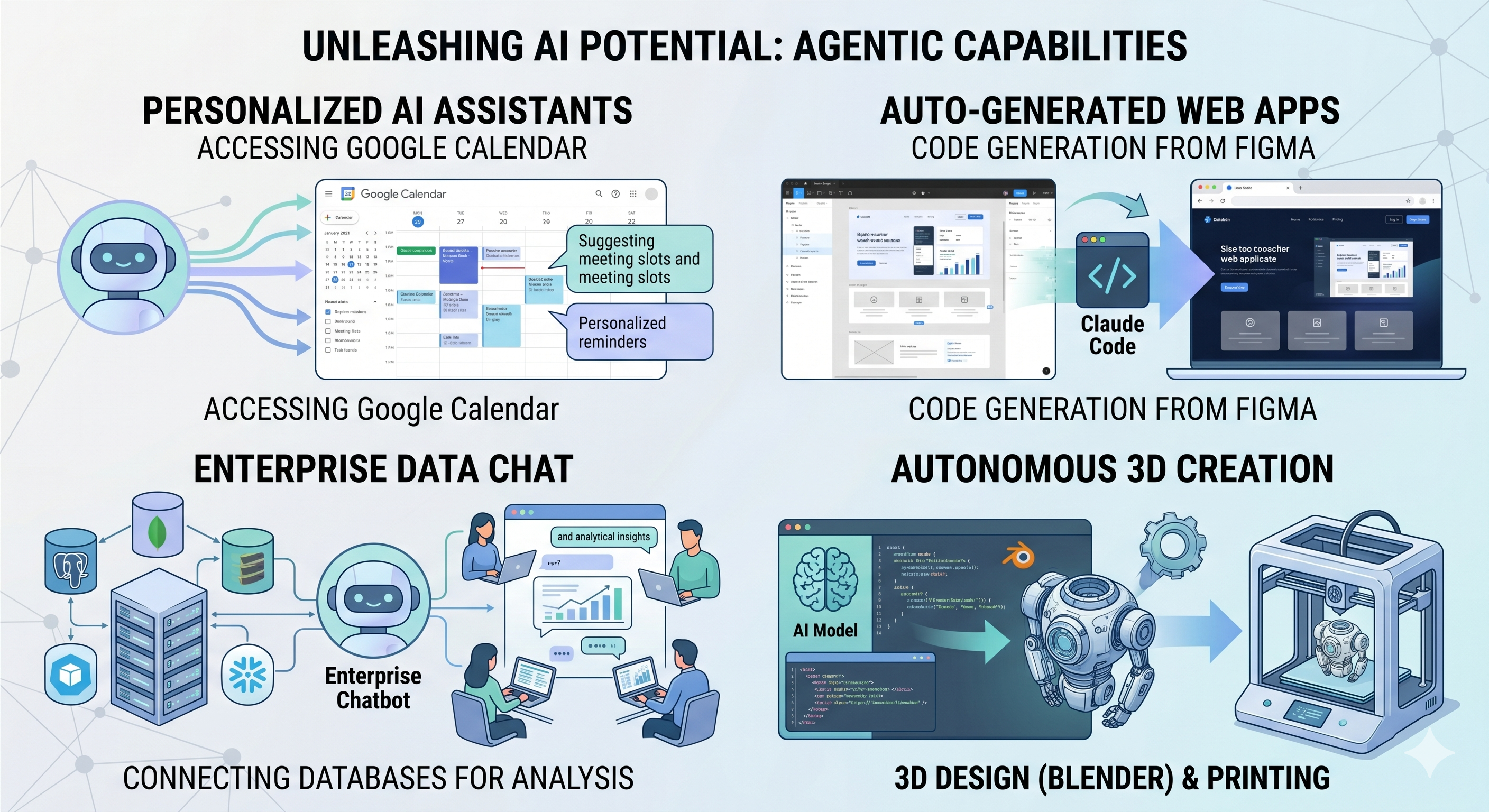
  • Agents can access your Google Calendar, acting as a more personalized AI assistant.
  • Claude Code can generate an entire web app using a Figma design.
  • Enterprise chatbots can connect to multiple databases across an organization, empowering users to analyze data using chat.
  • AI models can create 3D designs on Blender and print them out using a 3D printer.

Why MCP Matters to the Modern Platform Manager

As a Platform Manager, you’re already managing complexity. MCP isn’t just another library; it’s an open standard that allows your local IDE or AI assistant (like Claude) to “plug in” to your specific internal tools.

Instead of copying and pasting logs into a chatbot or manually checking API statuses, you build an MCP server that grants your AI the “eyes” and “hands” to interact with your services directly—with your explicit, human-in-the-loop approval.

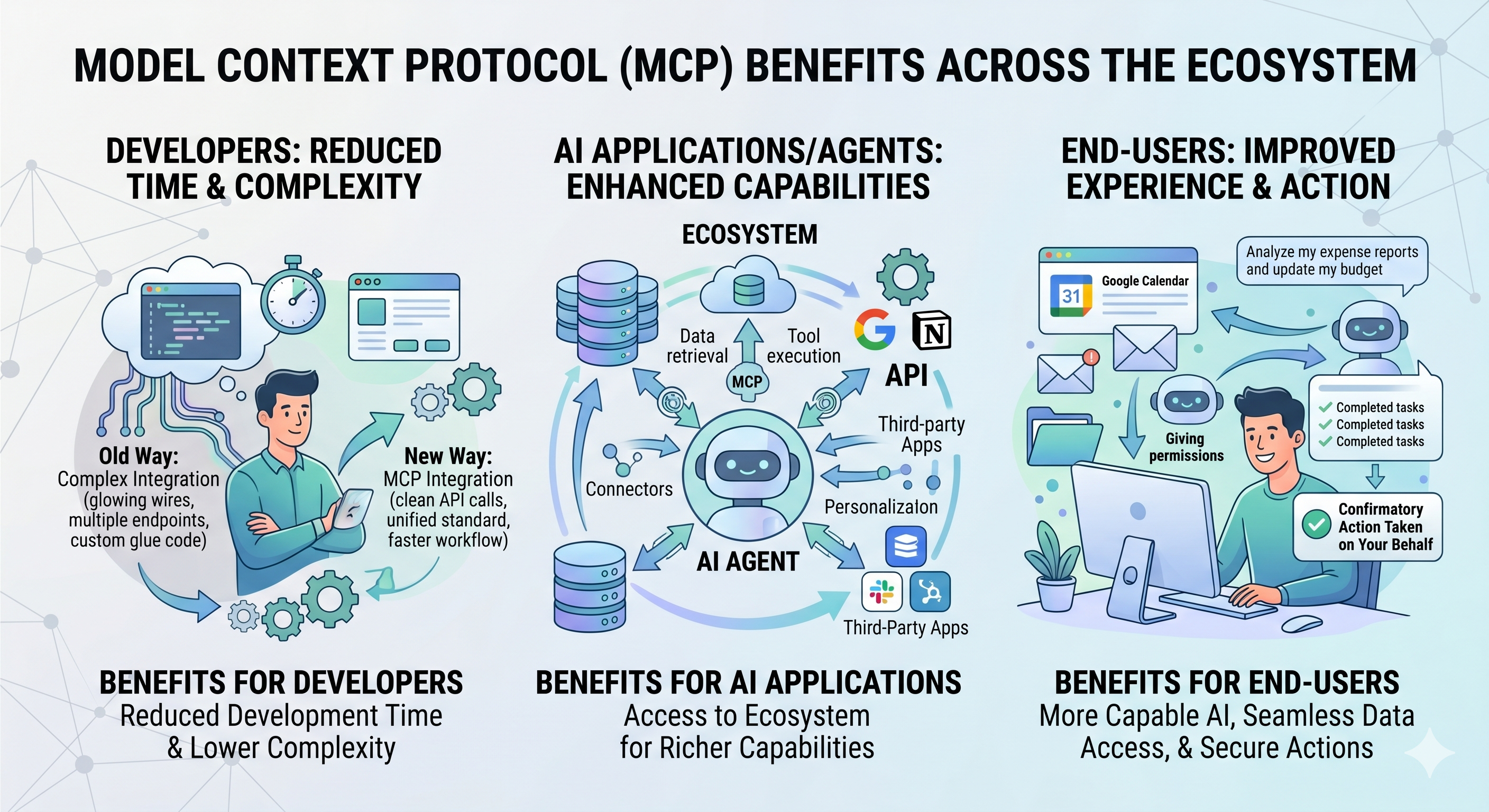
  • Developers: MCP reduces development time and complexity when building, or integrating with, an AI application or agent.
  • AI applications or agents: MCP provides access to an ecosystem of data sources, tools and apps which will enhance capabilities and improve the end-user experience.
  • End-users: MCP results in more capable AI applications or agents which can access your data and take actions on your behalf when necessary.

Building Your First MCP Server: A Practical Approach

To see how this fits into your existing ecosystem, let’s look at a simple implementation. We’ll build a Weather MCP Server. While simple, it mirrors the same pattern you would use to build a “Production Status” or “Cluster Inventory” server that your team could use to query infrastructure health in natural language.

1. The Architecture

MCP servers communicate via JSON-RPC, usually over standard I/O (stdio). This is the “connector” that allows the AI client to execute code defined in your server.

2. The Code (Pythonic Simplicity)

Using the FastMCP library, the boilerplate is minimal. You focus on the business logic—defining Tools that the AI can trigger.

from mcp.server.fastmcp import FastMCP
import httpx
# Initialize the server
mcp = FastMCP("weather-server")
@mcp.tool()
async def get_forecast(latitude: float, longitude: float) -> str:
"""Get the weather forecast for a specific coordinate."""
# Logic to interface with NWS API
...

The magic here is in the docstrings and type hints. The MCP SDK automatically introspects your code, telling the AI exactly what arguments are required (e.g., latitude, longitude), which significantly reduces hallucination and schema errors.

3. Connecting to the “Host”

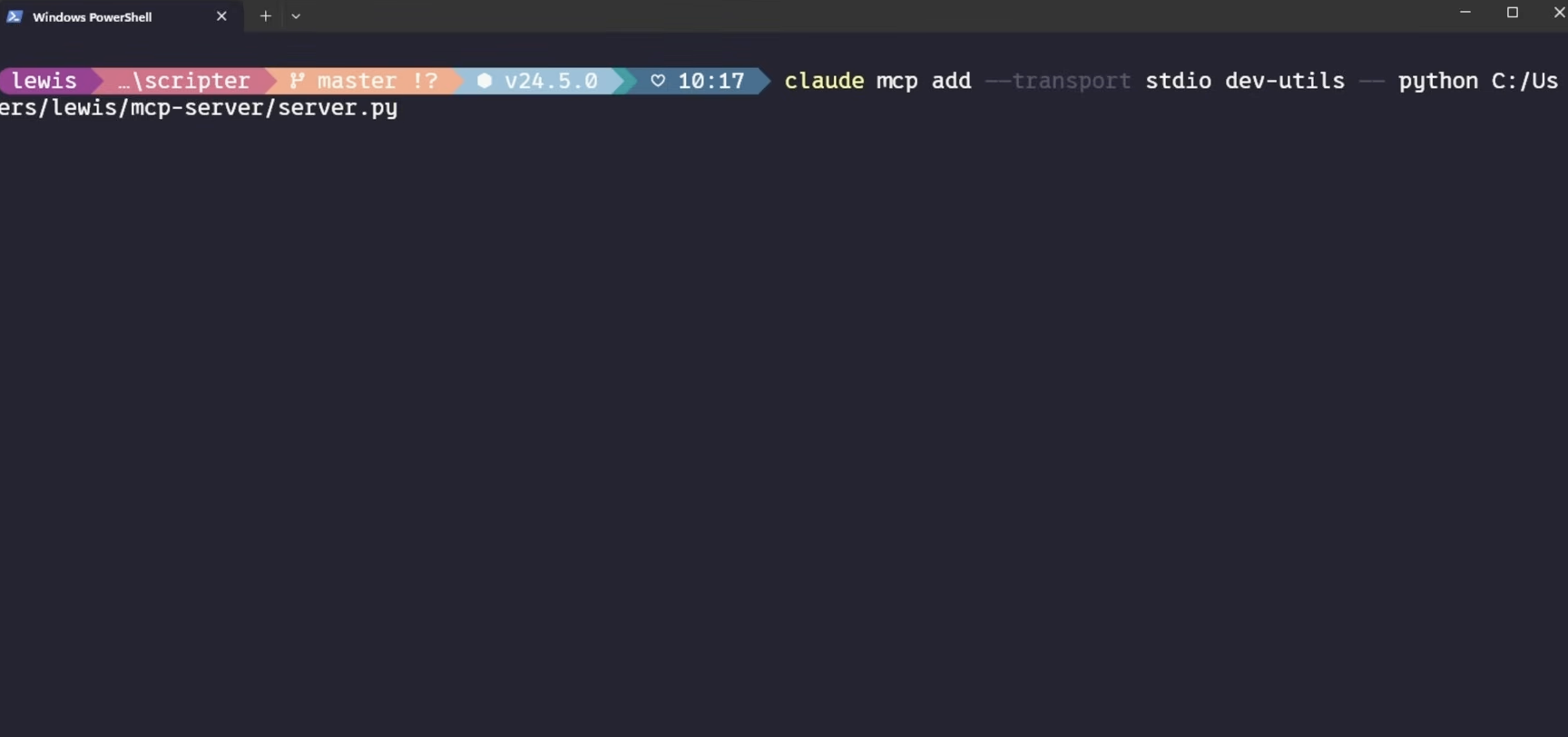
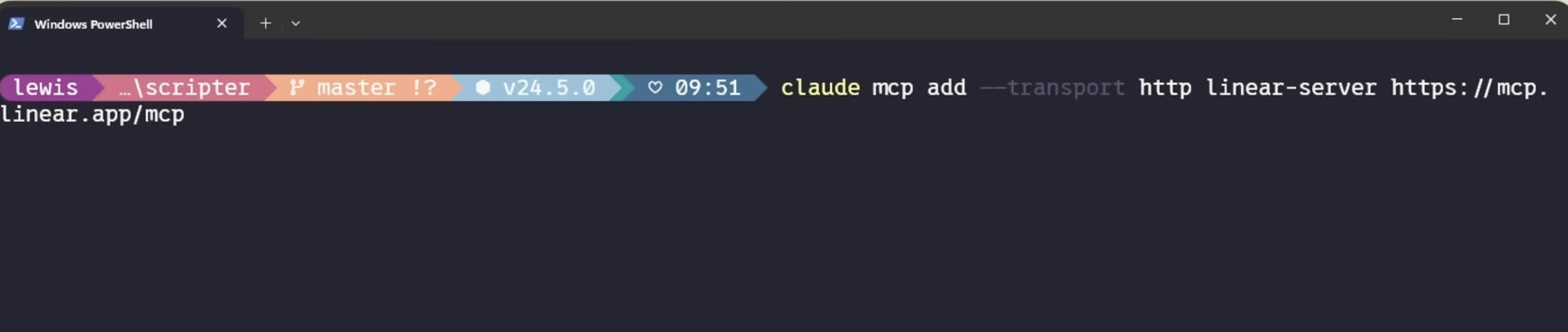
In a DevOps context, the “Host” is the client—like Claude for Desktop, or perhaps a custom CLI tool your team uses. You register the server by updating a configuration file (like claude_desktop_config.json):

{
"mcpServers": {
"weather": {
"command": "uv",
"args": ["run", "/path/to/weather.py"]
}
}
}

The “DevOps” Mindset Applied to MCP

If you want to take this to the next level, stop thinking about weather data and start thinking about your Platform Interface:

  • Observability via MCP: Create a tool that queries your Prometheus/Grafana instances. Ask your AI: “What are the current error rates for the checkout service in prod?”
  • GitOps via MCP: Create a tool that wraps the argocd CLI. Ask your AI: “What is the current sync status of our core microservices in the Sydney region?”
  • Infrastructure Auditing: Create a tool that uses boto3 or Azure SDKs to audit security group rules. Ask: “Find any S3 buckets in the dev environment that are currently public.”

Final Thoughts: The New Infrastructure

We’ve spent decades optimizing the delivery of software. Now, the bottleneck is the interaction with the systems we’ve built. MCP is the bridge. It turns your documentation and APIs into living, conversational interfaces.

For those of us who have lived through the rise of Coding manually, Kubernetes and the transition to GitOps, this feels like the logical next step: making our internal platforms as discoverable and usable as the software we build on top of them.

Ready to start? Check out the official MCP Quickstart Guide to get your environment set up.